Features

One project, from first spark to final draft.

For novels, long-form nonfiction, serials, and course manuscripts, FlowWrite brings together focused drafting, durable structure, revision history, ownership, and an optional agent that can understand manuscript context.

Writing

Open the chapter. Continue the sentence.

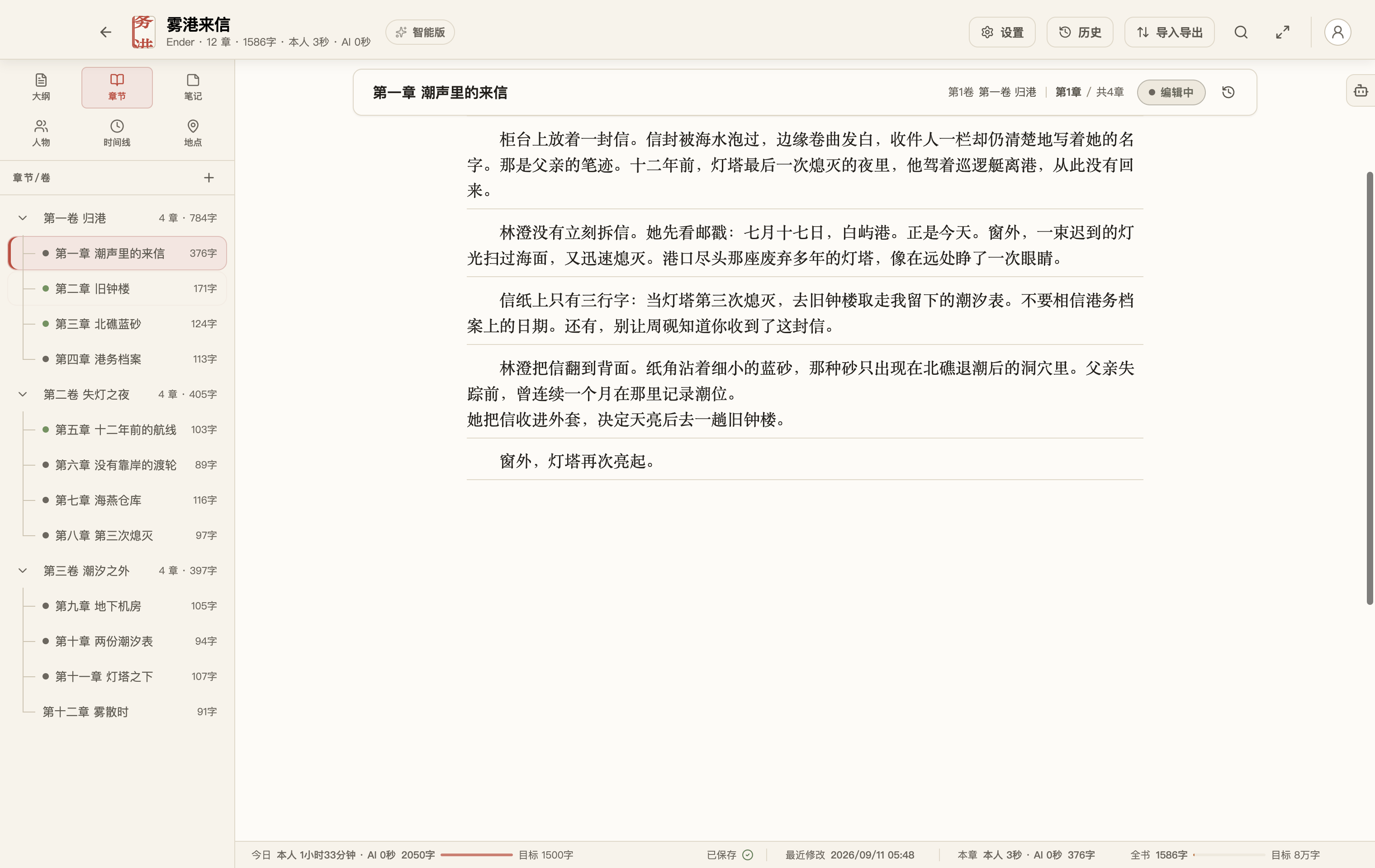
Rich-text editing, automatic saving, and typography stay out of the way. Typewriter mode steadies the current line; Zen mode clears the desk.

Headings, paragraphs, lists, links, and images live directly in the manuscript, with familiar selection, paste, undo, and redo.

Chapter One · The Letter in the Tide Saved

Before dawn, fog crossed the breakwater and settled around the white lighthouse. Lin Cheng unfolded the letter once more.

Earlier lines move upward while the active line stays in a comfortable place.
The demo novel Letters from Fog Harbor open in FlowWrite with three volumes and twelve chapters
Original demo novel Letters from Fog Harbor, by Ender.

Ideas and rhythm

Catch the thought. See the practice grow.

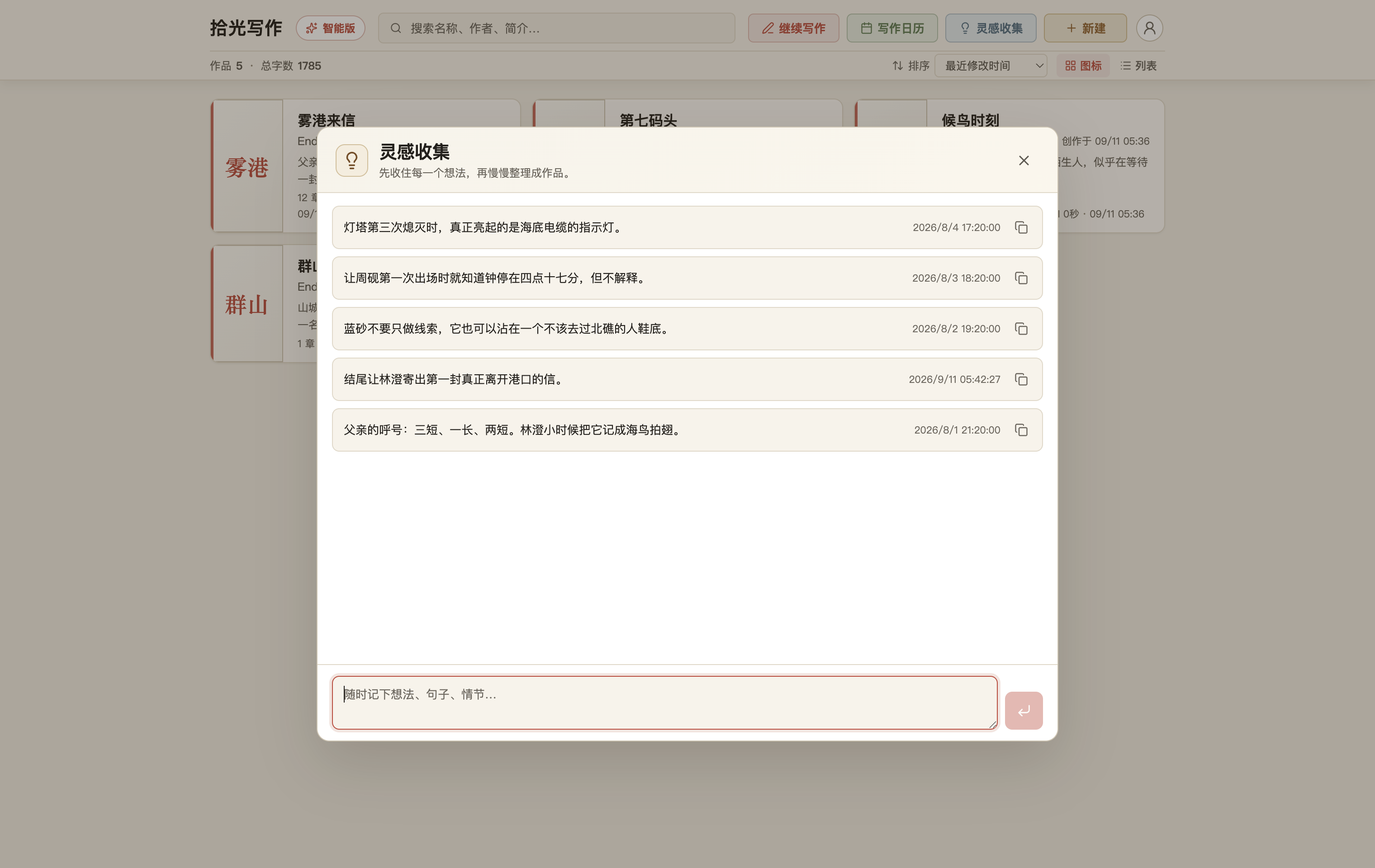
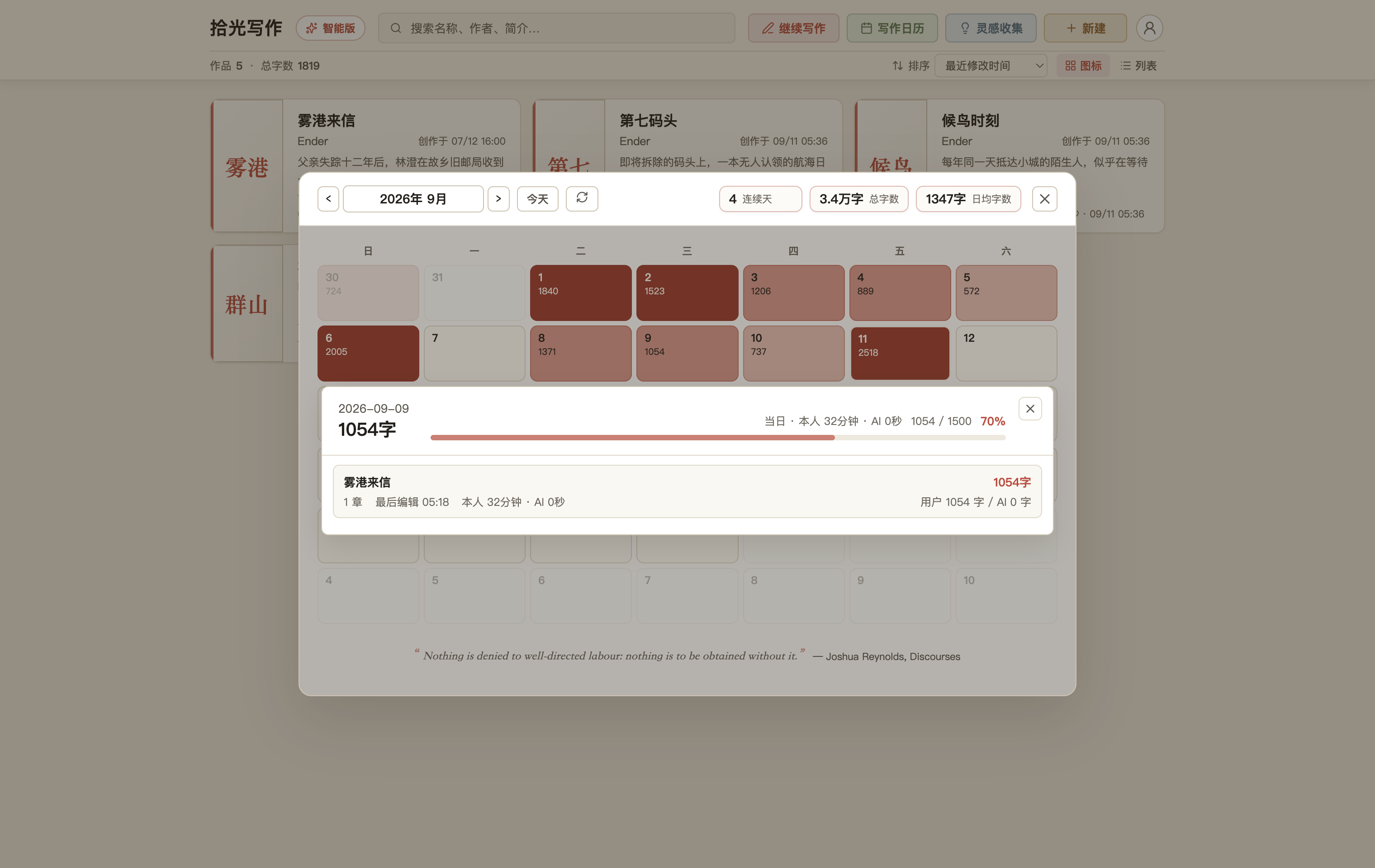
Dialogue, images, and clues without a home can wait in the idea inbox. The words you actually write remain visible in the calendar.

Open a day to see the books and chapters you touched, time spent writing, and the split between your words and agent-assisted work.

Five developing story ideas saved in the FlowWrite idea inbox
Save it now and find its place in the story later.
FlowWrite calendar detail showing two books, three chapters, writing time, and the split between user and agent words
Move from the rhythm of a month into the work of one real day.

Whole-book search

No clue is too far away to find again.

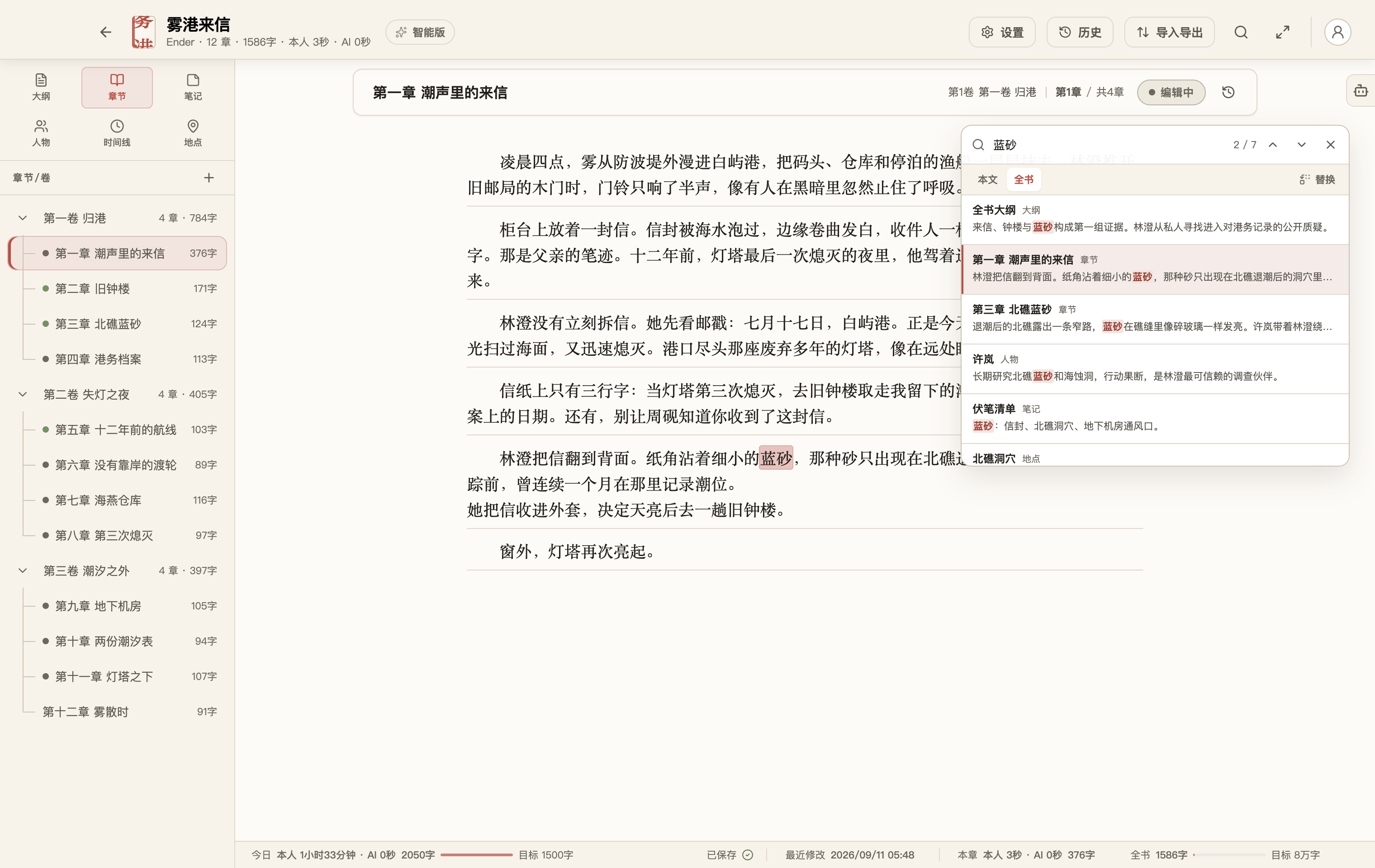
Search for a name, an object, or a recurring phrase and see every appearance across the manuscript.

Check continuity, rename a detail, and compare context without paging through dozens of chapters.

FlowWrite highlighting search matches across the full demo novel
One keyword leads back to every relevant passage.

Characters and world

A complex story can still be clear.

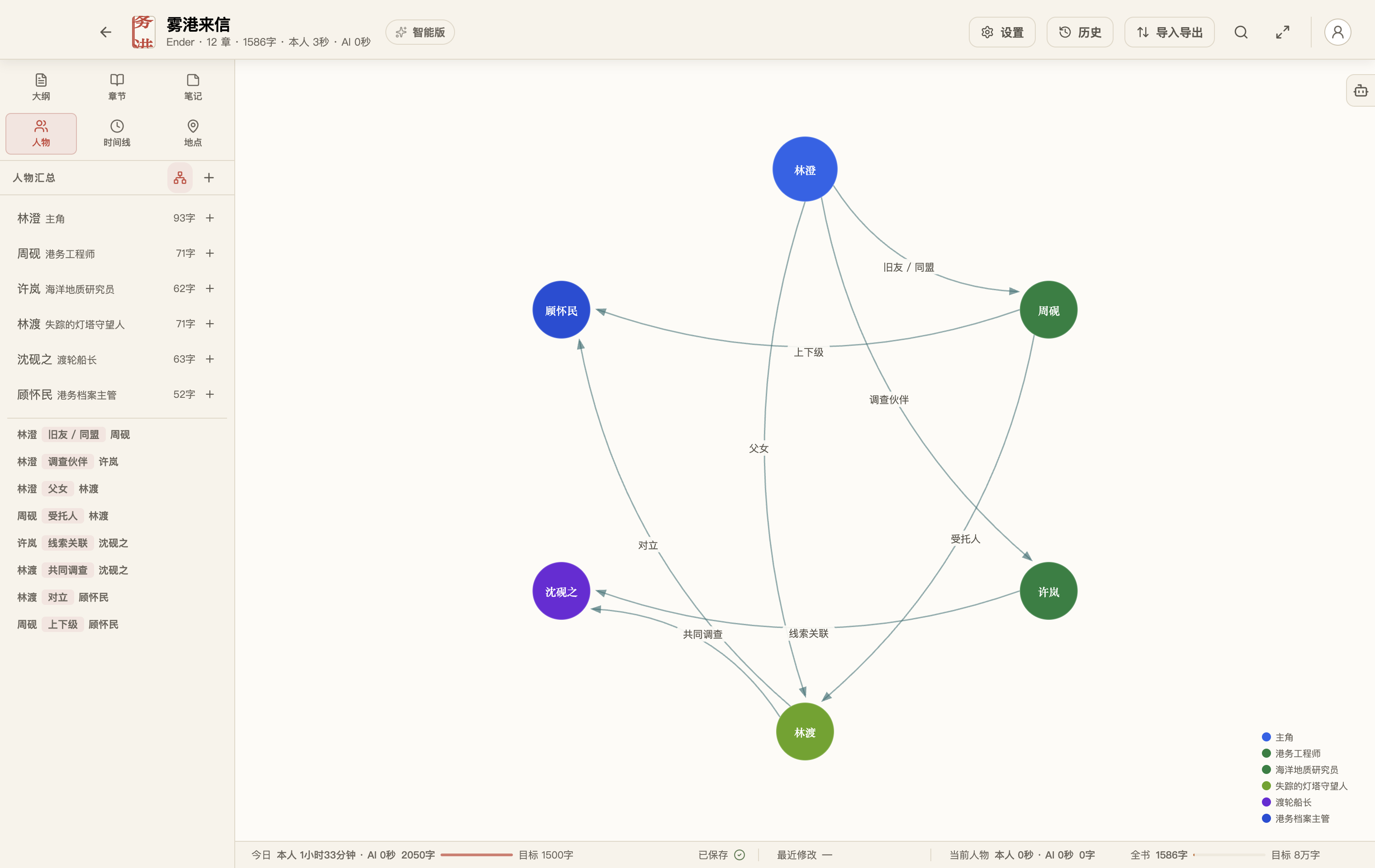
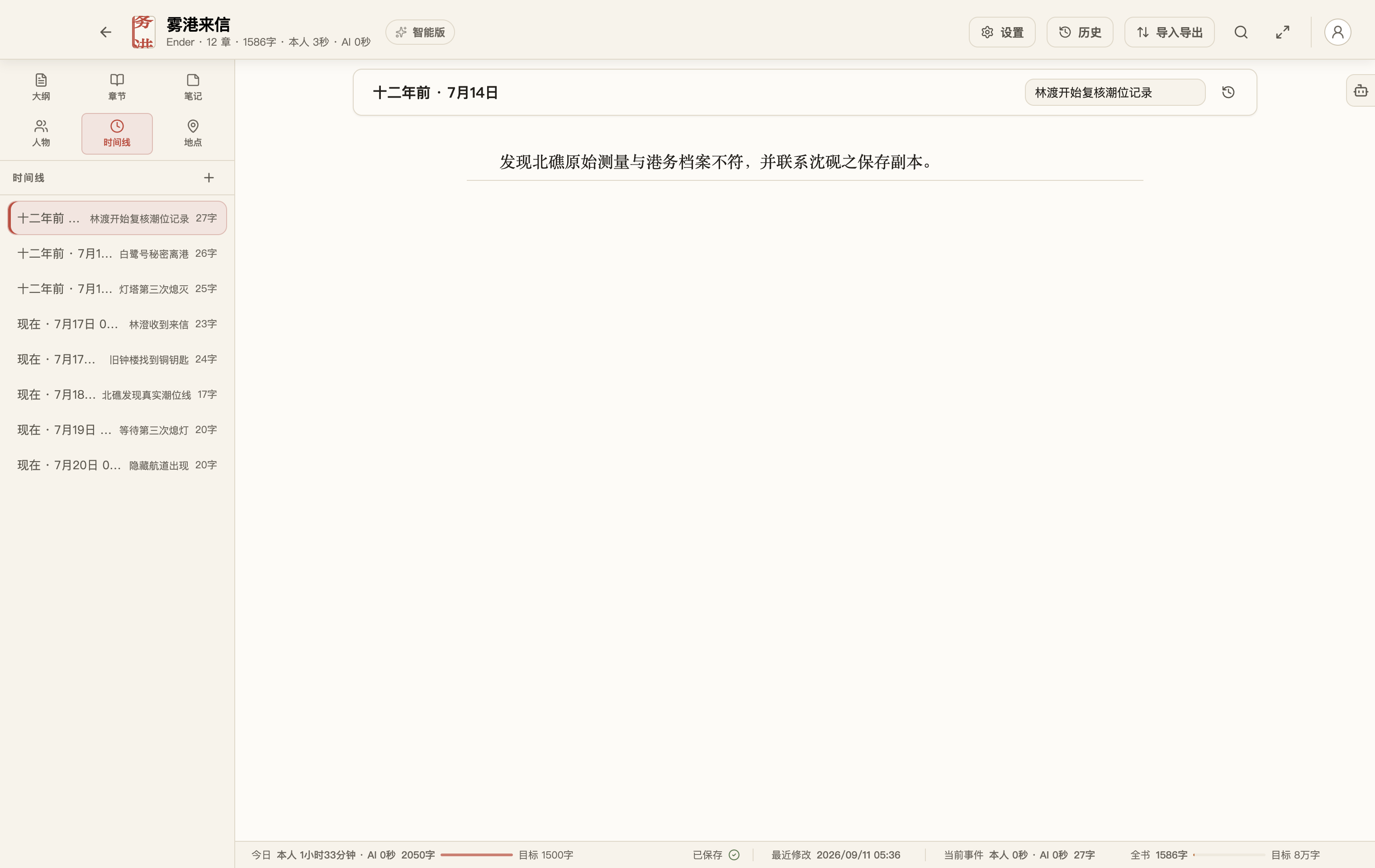
Characters are more than isolated cards. Relationship graphs expose loyalties, conflicts, and secrets, while the timeline keeps events in order.

Places, notes, and outlines keep the rest of the world beside the manuscript instead of scattered across apps.

A relationship graph for six characters in FlowWrite
See both the spoken and unspoken relationships in the cast.
A FlowWrite timeline listing major events in the demo novel
Give the story a chronology that survives a careful reread.

Revision and safety

Rewrite freely. Recover what matters.

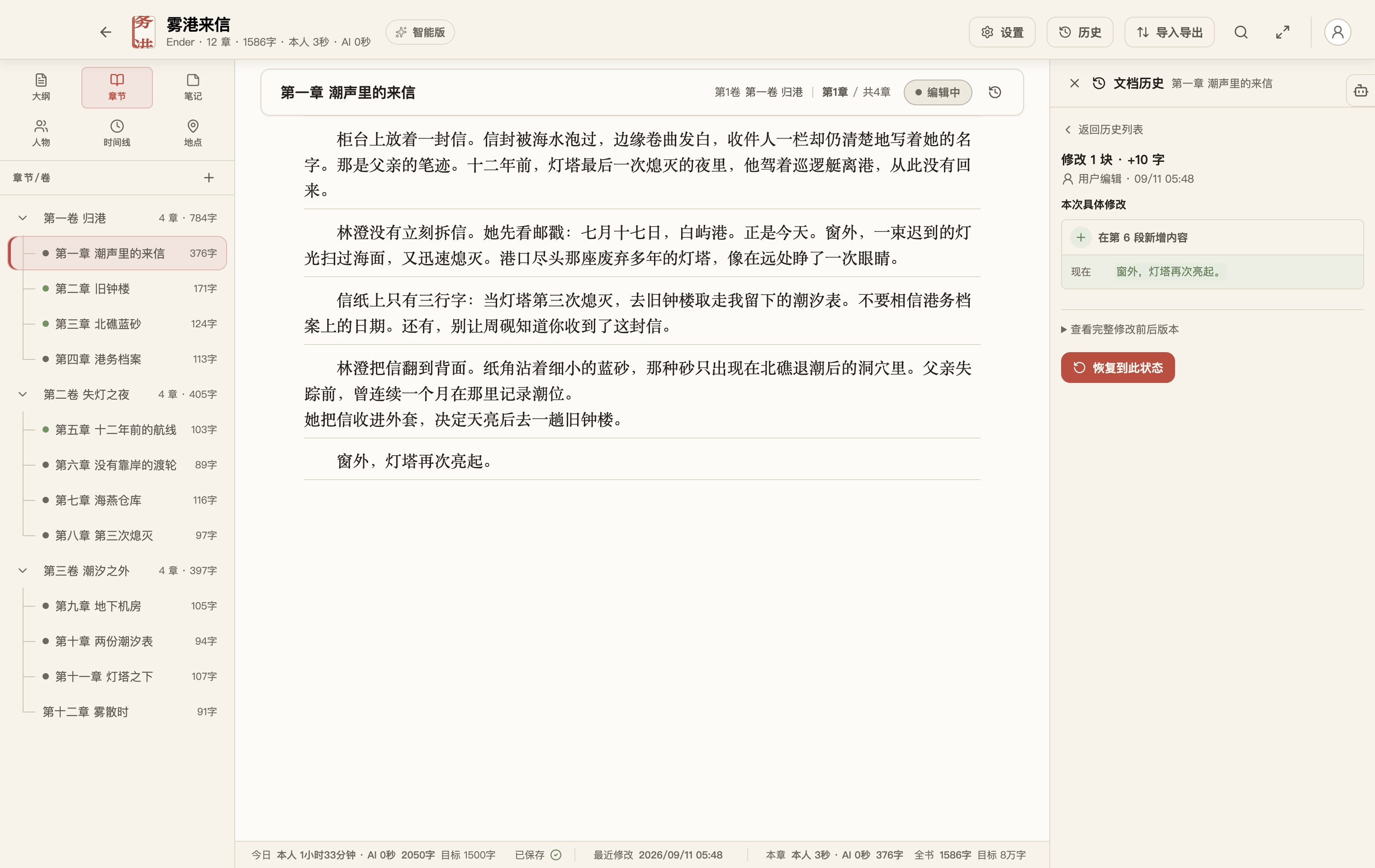
History lets you compare and restore documents. Trash catches accidental deletion. Book snapshots preserve complete milestones before major changes.

Try another version freely. Writing can pause without the work losing its context.

FlowWrite document history showing content and status changes
Important revisions remain traceable and recoverable.

Intelligent collaboration

Give the agent a real writing task.

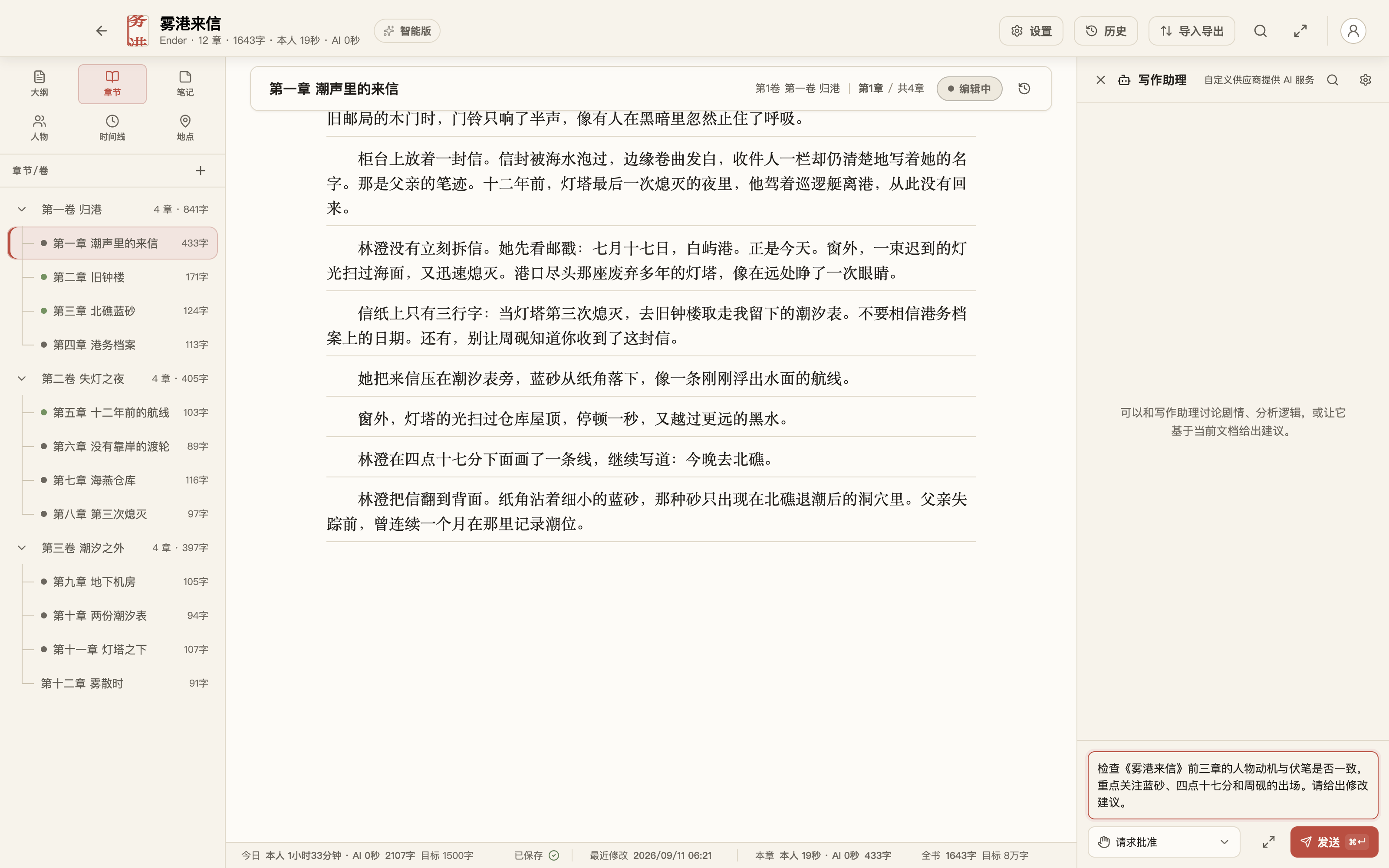
Ask it to check character appearances and clues across three chapters, trace an arc, or plan the next revision pass.

The agent works only within the manuscript access you grant. You can see what it read, proposed, and applied, stop the task at any time, and review every suggested change before keeping the final say.

A concrete three-chapter continuity task in the FlowWrite agent
A concrete task grounded in one book, three chapters, and specific clues.

Data and delivery

Bring the old draft in. Take the finished book out.

Your library stays in a visible folder on this Mac, in a location you choose, or in iCloud Drive. Import TXT and Word, then export Word, TXT, Markdown, EPUB, or a complete book archive.

A subscription change never deletes or truncates work already stored in your local library.