Local first · Long-form writing · Desktop

FlowWrite 拾光写作

Let the work grow without losing the thread.

From the opening page to the final draft, keep prose, structure, reference material, and revisions on one writing desk. Spend less energy organizing and more time writing.

macOS Coming to the Mac App Store Windows On the way
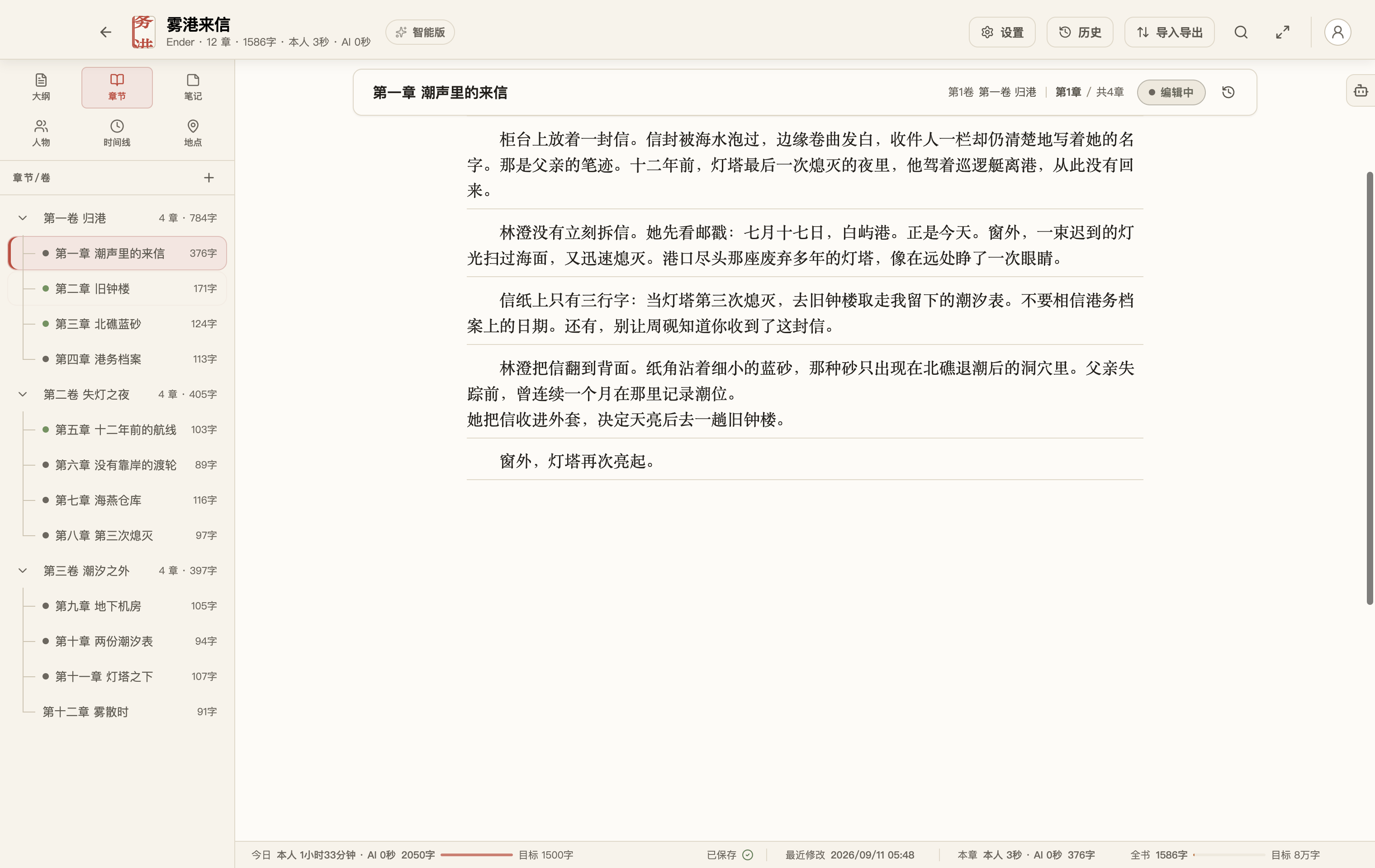
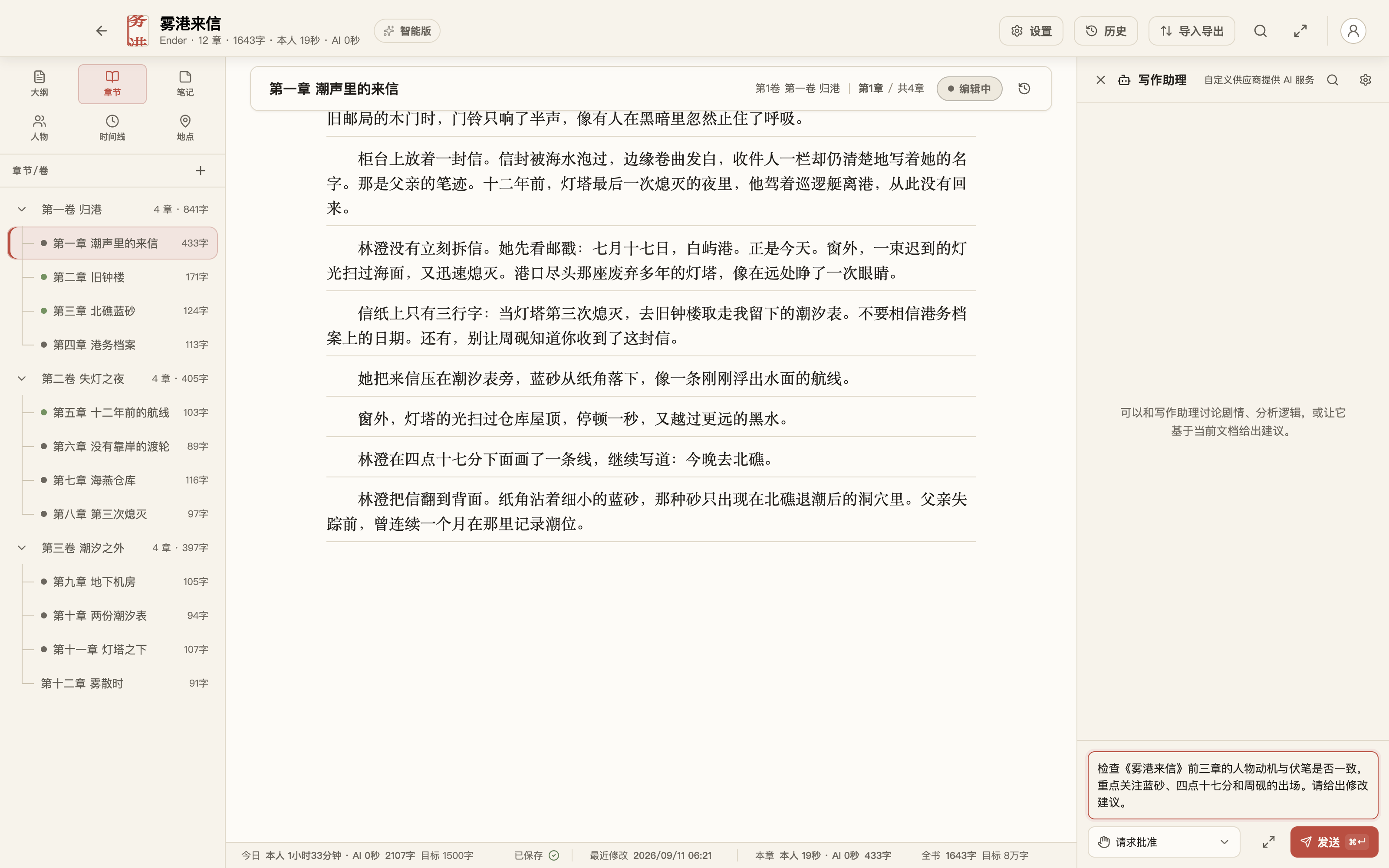
The original demo novel Letters from Fog Harbor in FlowWrite, with three volumes and twelve chapters visible in the sidebar
Three volumes, twelve chapters, one clear story Drafts, structure, outlines, and story facts stay together.

Original demo novel Letters from Fog Harbor · Ender · Captured in FlowWrite

Built for booksStructure, story facts, and prose remain connected
Local firstYour work stays visible, portable, and yours to back up
Revise freelyHistory, snapshots, and trash preserve your choices

For novels, long-form nonfiction, serials, course manuscripts, and other work shaped over time.

Write

Catch the thought before it disappears.

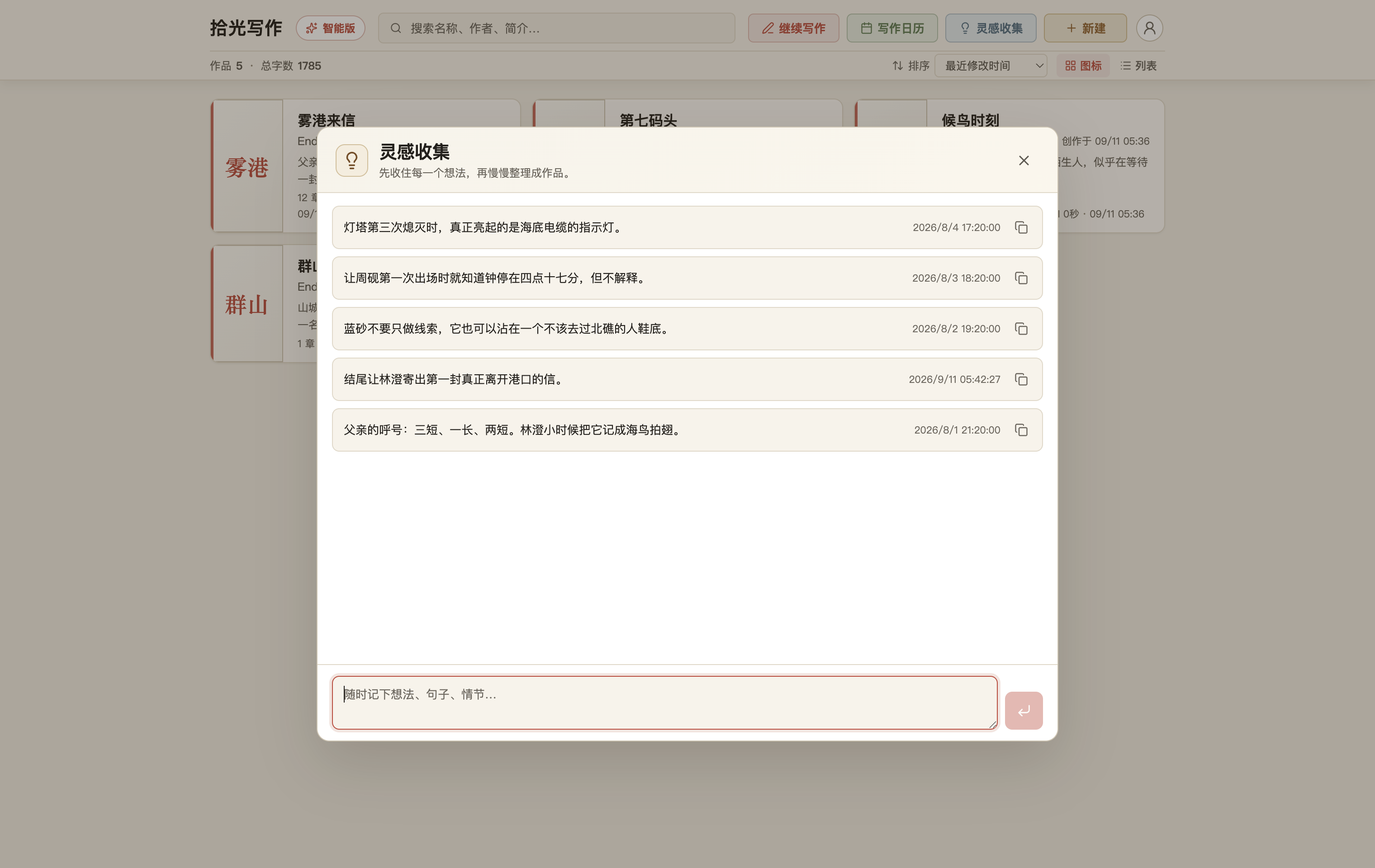
Save a line, a scene, or a fragment of dialogue before deciding where it belongs. Ideas can wait safely until the story is ready for them.

Capture quicklySend loose ideas to the inbox, then move them into a book when they mature.

Open and writeTypewriter mode, Zen mode, themes, and typography keep attention on the sentence.

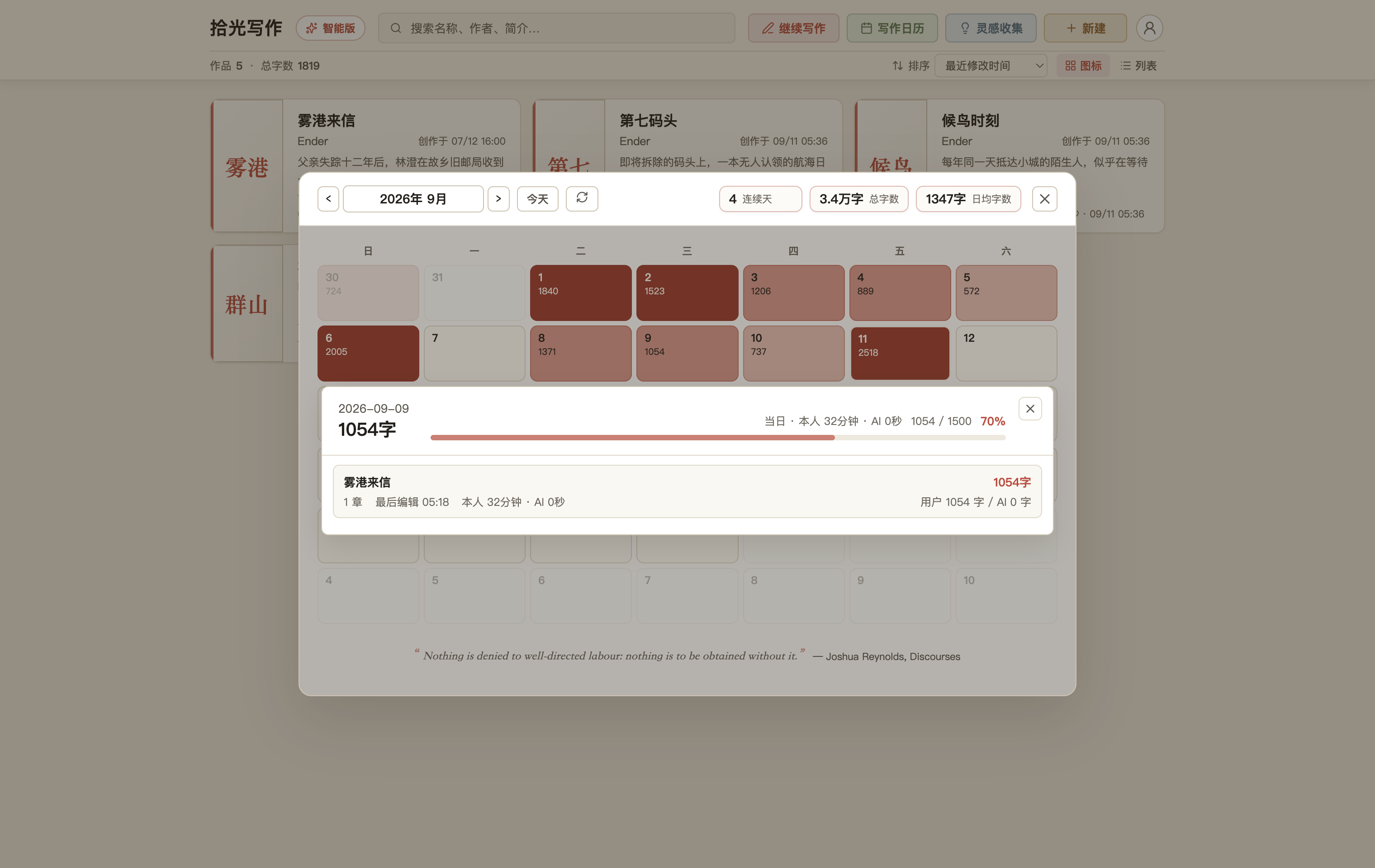
Keep momentumOpen a calendar day to see which books and chapters moved, how long you wrote, and how many words you added.

Earlier lines move upward while the sentence you are writing stays comfortably in view.
The FlowWrite idea inbox containing five notes for the original demo novel Letters from Fog Harbor
Capture the idea first. Decide where it belongs later.
Organize

Know where the story is, even after 100,000 words.

Volumes and chapters hold the prose. Outlines hold direction. Characters, relationships, places, and timelines keep the facts straight. Whole-book search brings every clue back into view.

Volumes and chaptersOutlinesRelationshipsPlacesTimelineNotesIdea inboxWhole-book search
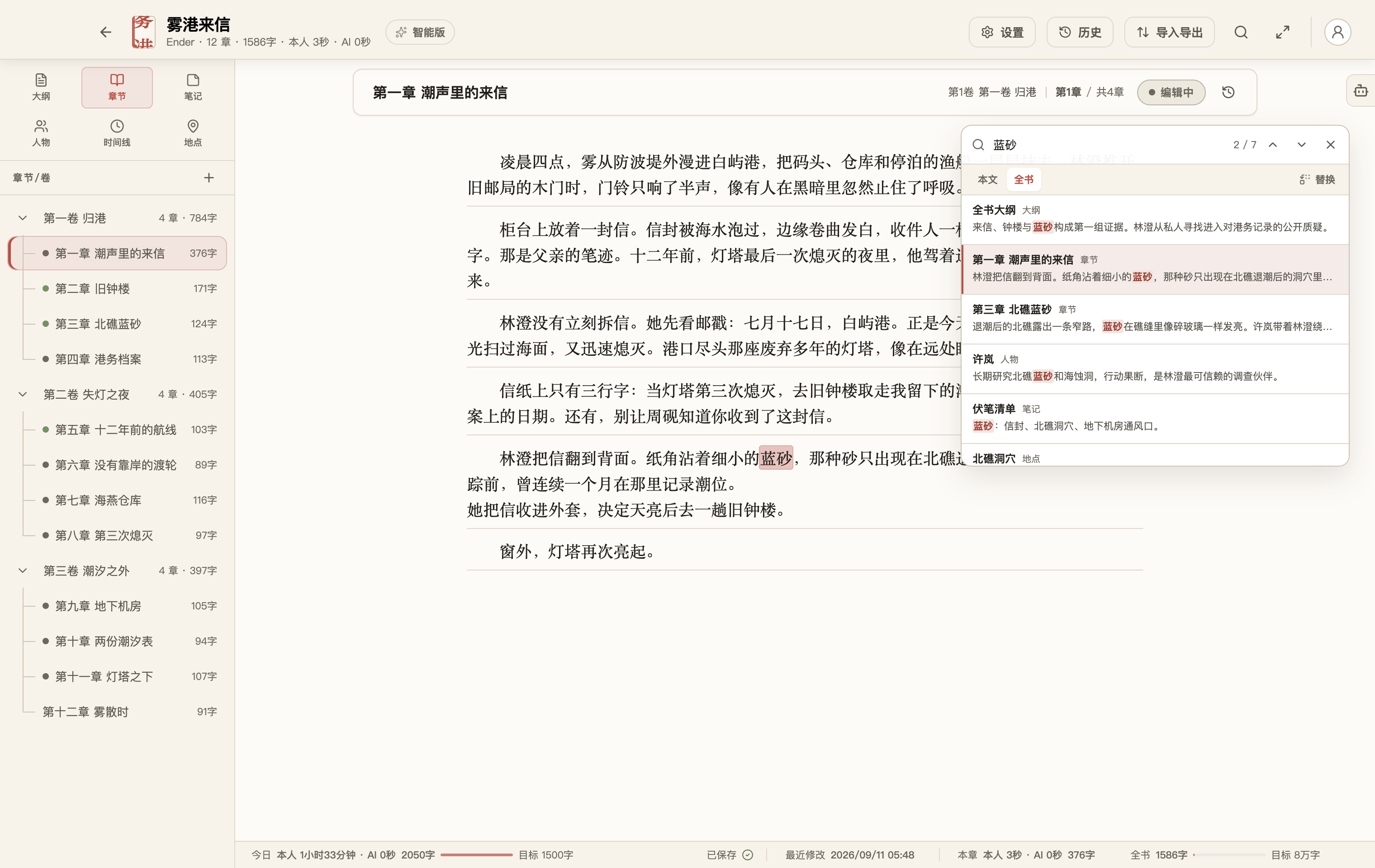
FlowWrite highlighting every match for a clue across the full demo novel
Search one image or phrase and find every echo across the book.
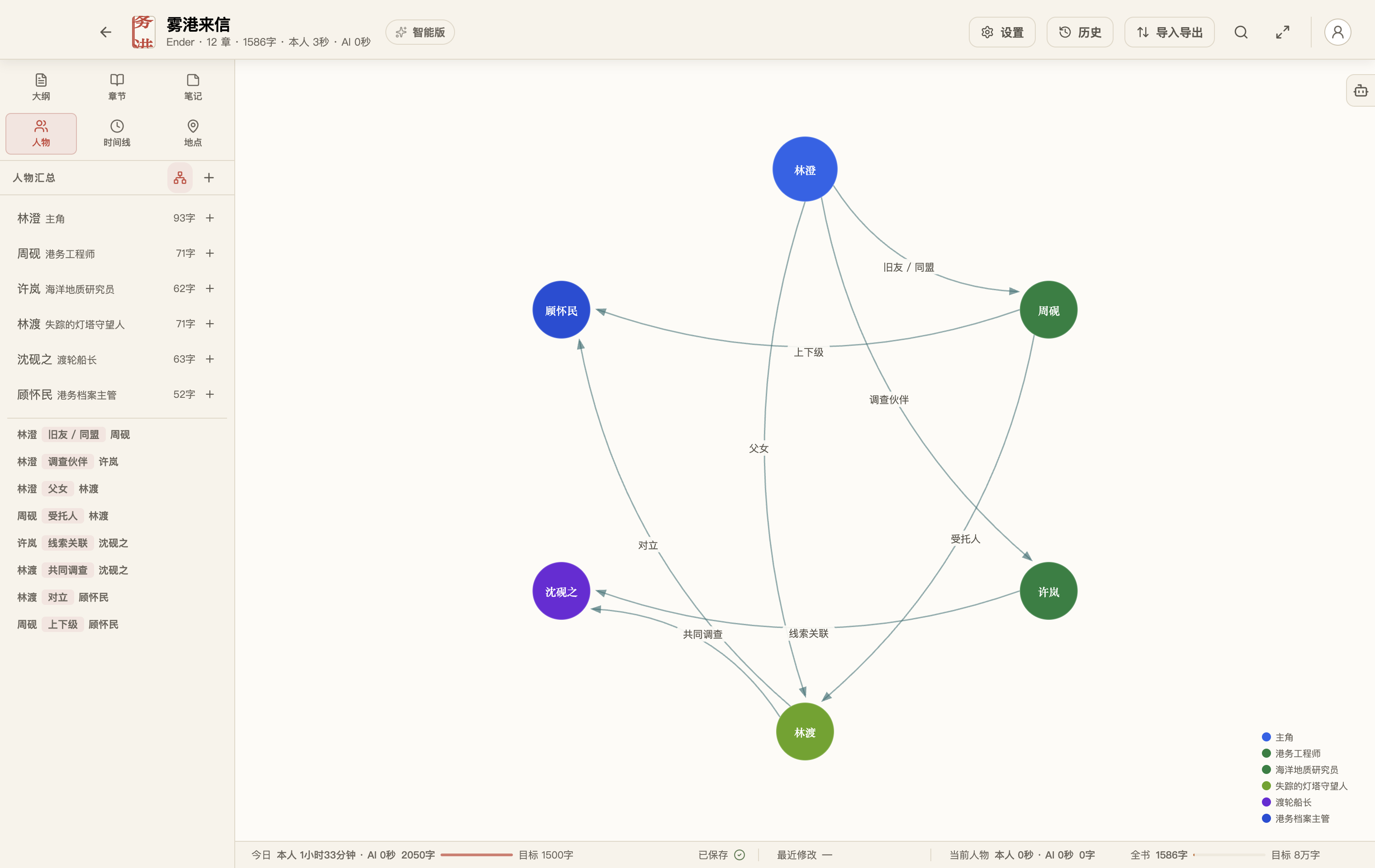
FlowWrite showing the relationships among six characters
A large cast no longer has to live only in your head.
Revise

Change boldly. There is always a way back.

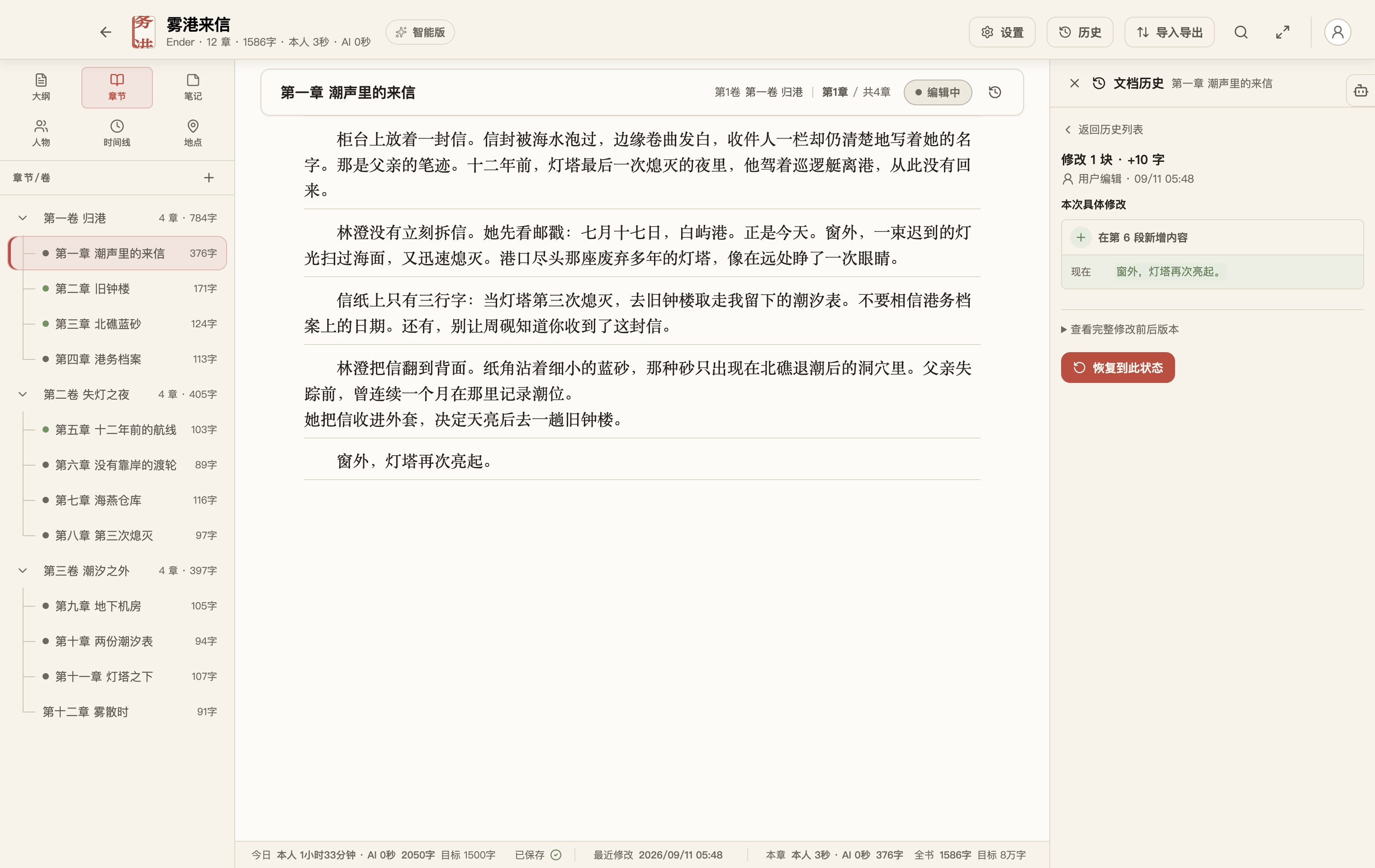
See how a document changed and restore the version you need. Deleted work waits in the trash, while book snapshots preserve complete milestones before a major rewrite.

Your draft keeps its history across restarts and rounds of revision.

FlowWrite document history showing content and status revisions
Every important change has a history and a way back.
Intelligence

Give your writing agent the book, not just one sentence.

Ask it to check clues across three chapters, trace a character arc, or prepare the next revision pass. It works around the manuscript while you keep the judgment.

You choose what it readsBook access is granted separately and only when a task needs manuscript context.

You choose what changesReview, skip, or discuss suggestions before they affect prose or story facts.

You can see the processReview what it read, proposed, and applied, and stop the task whenever you need.

Bring your own modelThe Intelligent plan does not bundle model usage, so provider choice and cost stay with you.

The FlowWrite agent checking characters and clues across three chapters
Start with a concrete task: check the first three chapters for conflicting clues and appearances.
Long work

Writing leaves a record of time.

FlowWrite brings scattered ideas, revisions, and references back into the same work. Even after time away, you can return to the thought and continue.

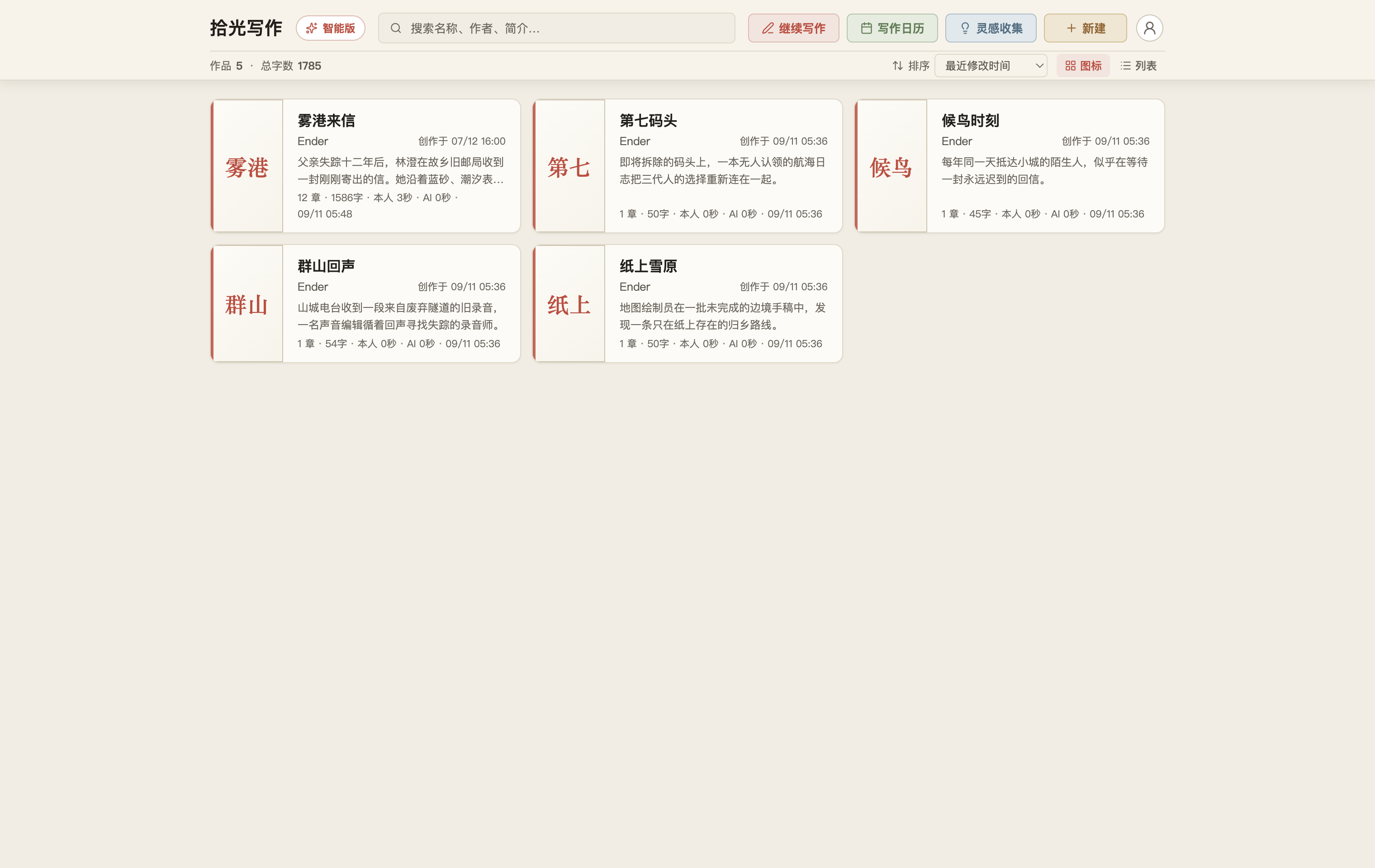
Five original demo works by Ender arranged in the FlowWrite library
One work after another, long-form projects can grow quietly in the same library.
Your work

Your manuscript stays in your hands.

Keep your library on this Mac, in a folder you choose, or in iCloud Drive. Back it up in full, bring old drafts in from TXT or Word, and export Word, TXT, EPUB, or a complete archive.

Learn about data, backups, import, and export →

Write the next chapter here.